
Editor
Edit a page
Open a page in /manage, use the navigator, and switch between Pages and Blocks.
Edit a page
Generated by Playwright (
pnpm docs:generate) against madstack staging. Update the matching*.doc.spec.tsand regenerate — do not edit this file by hand.
1. Open the page editor
Sign in as an editor, then open the page you want to change. The editor loads the page canvas with the top bar and side rails.

Page editor with canvas and rails
2. Open the Navigator
Use Navigator in the left rail to jump between blocks on the page.
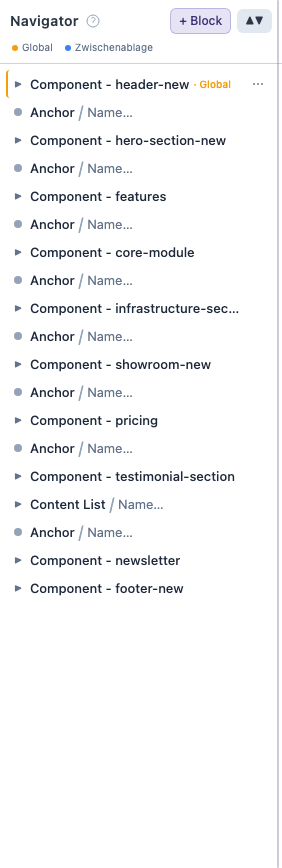
Navigator panel listing page blocks
3. Switch to Blocks view
In the top Design view control, choose Blocks to work with the block library instead of page routes.

Blocks design view
4. Return to Pages view
Choose Pages again when you want to edit a specific page route.

Back in Pages view